Version 2.9
Projects & Tasks 2.9 introduces clearer iCloud sync status, options to resolve edit conflicts and recover work, plus keyboard shortcuts for Mac. Not yet released.
More reliable saving and sync
Keep your work up to date across iPhone, iPad, and Mac. Changes save automatically as you type, with a clearer view of iCloud activity and more ways to handle sync problems.
See what’s happening with sync
The new Save & Sync screen shows iCloud activity, recent transfers, and issues that need your attention. On Mac, the sidebar also displays live sync status, with quick access to more details.
Resolve conflicting edits
If edits conflict, review the versions and choose which one to keep.
Recover work when saving fails
Recover drafts retained after save failures, or restore deleted items. [verify: confirm how long drafts and deleted items are retained and which items can be recovered]
These improvements are for Projects & Tasks on iPhone, iPad, and Mac.

Keyboard shortcuts on Mac
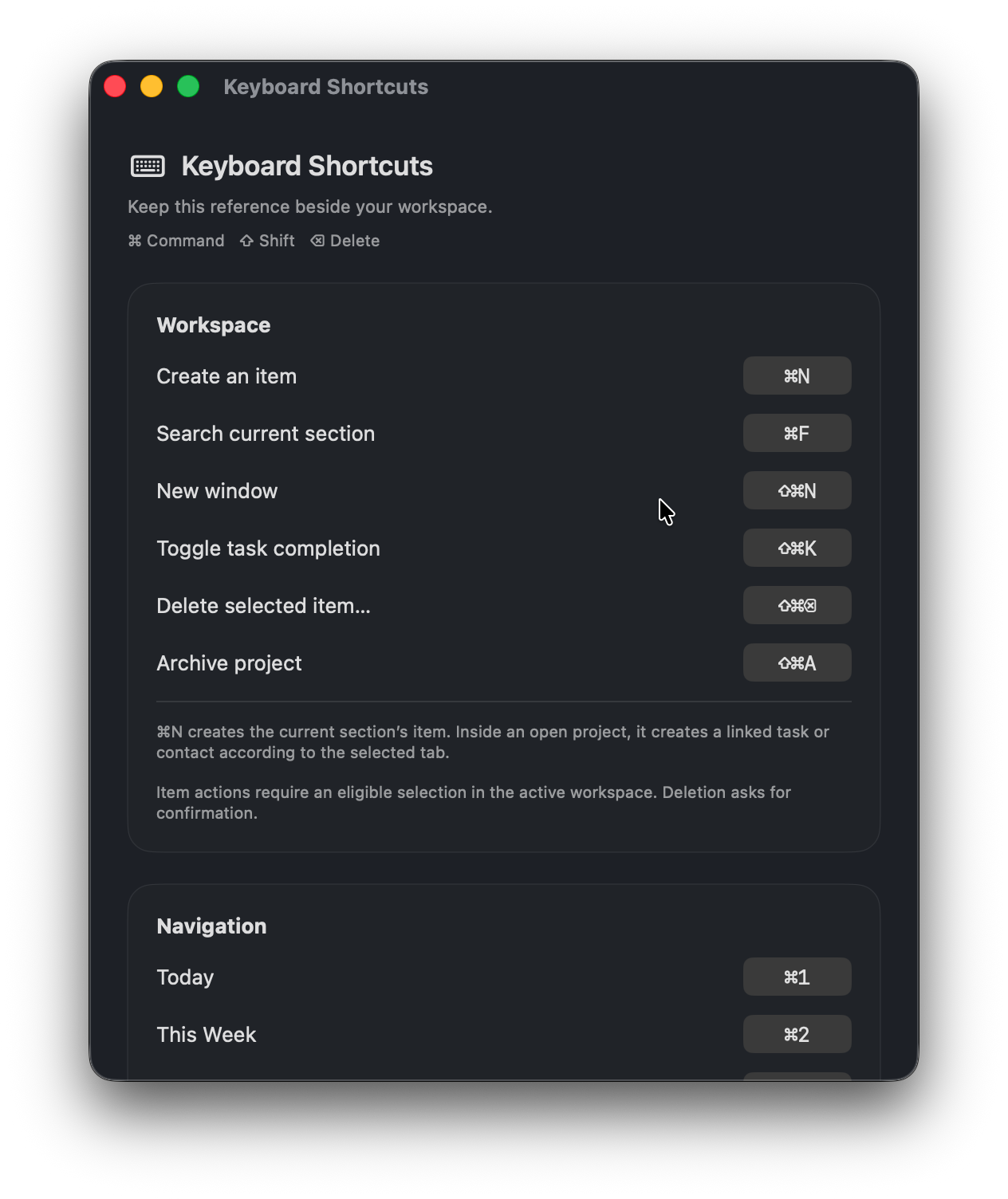
Work more efficiently with keyboard shortcuts in Projects & Tasks for Mac. Create items, search, move between sections, complete tasks, delete items, archive projects, and open windows from the keyboard.
Find available shortcuts
Open Help → Keyboard Shortcuts to see the available commands, including shortcuts for formatting notes and editing reports.
Shortcuts follow your access
Shortcuts work in the active window and respect existing sharing permissions and purchase requirements. Deleting an item requires confirmation.
Version 2.9 has not been released yet.